Your bus, counting down on your Lock Screen
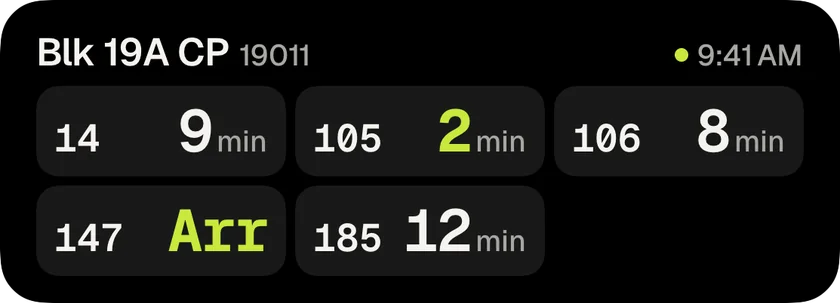
Waiting for a bus usually means checking your phone again and again. Is it still 4 minutes? Did it jump to 9? You end up staring at the app instead of getting on with your day.
So we made the countdown come to you. Open your stop, tap Live and pick the buses you can take. They start counting down on your Lock Screen and in the Dynamic Island. Put your phone away, reply to a message, keep scrolling. The countdown stays with you, and you’ll get an alert as your bus arrives.
It updates by itself while the app is closed, and it ends on its own once your buses have gone. If you wear an Apple Watch, the countdown shows up in the Smart Stack too.
It’s free
The countdown is part of free Whenbus, for up to 3 buses at a stop. Whenbus Pro lets you follow up to 6 and removes ads.
Help us make it better
If you’ve been enjoying Whenbus, please leave a review on the App Store. It’s how other commuters find us. For bugs or ideas, write to [email protected].